01
Know the expected checkout path.
Establish which first-party and third-party resources operate on payment pages, what they access, and where they are expected to communicate.
PAYMENT-PAGE AND DIGITAL-SKIMMING PROTECTION
Connect payment-field access, script changes, and new network destinations so suspicious browser behavior becomes an investigation, not a blind spot.

PROTECT THE BROWSER-SIDE ATTACK PATH
Payment-page and digital-skimming protection is a browser-layer practice for establishing the scripts and data paths expected at checkout, observing changes to field access and network destinations, and giving teams context to investigate and contain suspicious behavior. It helps address the client-side attack path used by Magecart, web-skimming, e-skimming, and formjacking campaigns.
Establish which first-party and third-party resources operate on payment pages, what they access, and where they are expected to communicate.
Bring resource changes, sensitive-field interaction, new browser capabilities, and unfamiliar destinations into one reviewable signal.
Investigate affected sessions, provider history, policy state, and business purpose before choosing whether to allow, restrict, or block.
FROM FIELD ACCESS TO DESTINATION
A digital skimmer may appear as a new script, a modified trusted resource, or a third-party dependency that begins reading payment fields and communicating with a new endpoint. The strongest signal is often the relationship between those observations.
Identify observed resources interacting with payment inputs and other high-value page elements.
Surface unfamiliar network endpoints or a route that no longer matches the reviewed payment flow.
Connect the behavior to the exact resource, its provider, and the script that introduced it.
checkout.example
Sensitive payment fields
Observed script
checkout-helper.js
Expected checkout access
payments.vendor.example
Reviewed destination
new-collector.example
New destination
SESSION-LEVEL INVESTIGATION
A useful investigation moves beyond an isolated alert. Review the execution timeline, resource identity, browser activity, destination, errors, and affected-session context to determine whether the change belongs to a deployment, vendor update, misconfiguration, or security incident.
See when the relevant resource loaded and which browser events surrounded the behavior change.
Determine where the signal was observed without assuming that every visitor or transaction was affected.
Compare the current behavior with prior activity, known resources, policy decisions, and previous incidents.
QUERY THE BROWSER RECORD
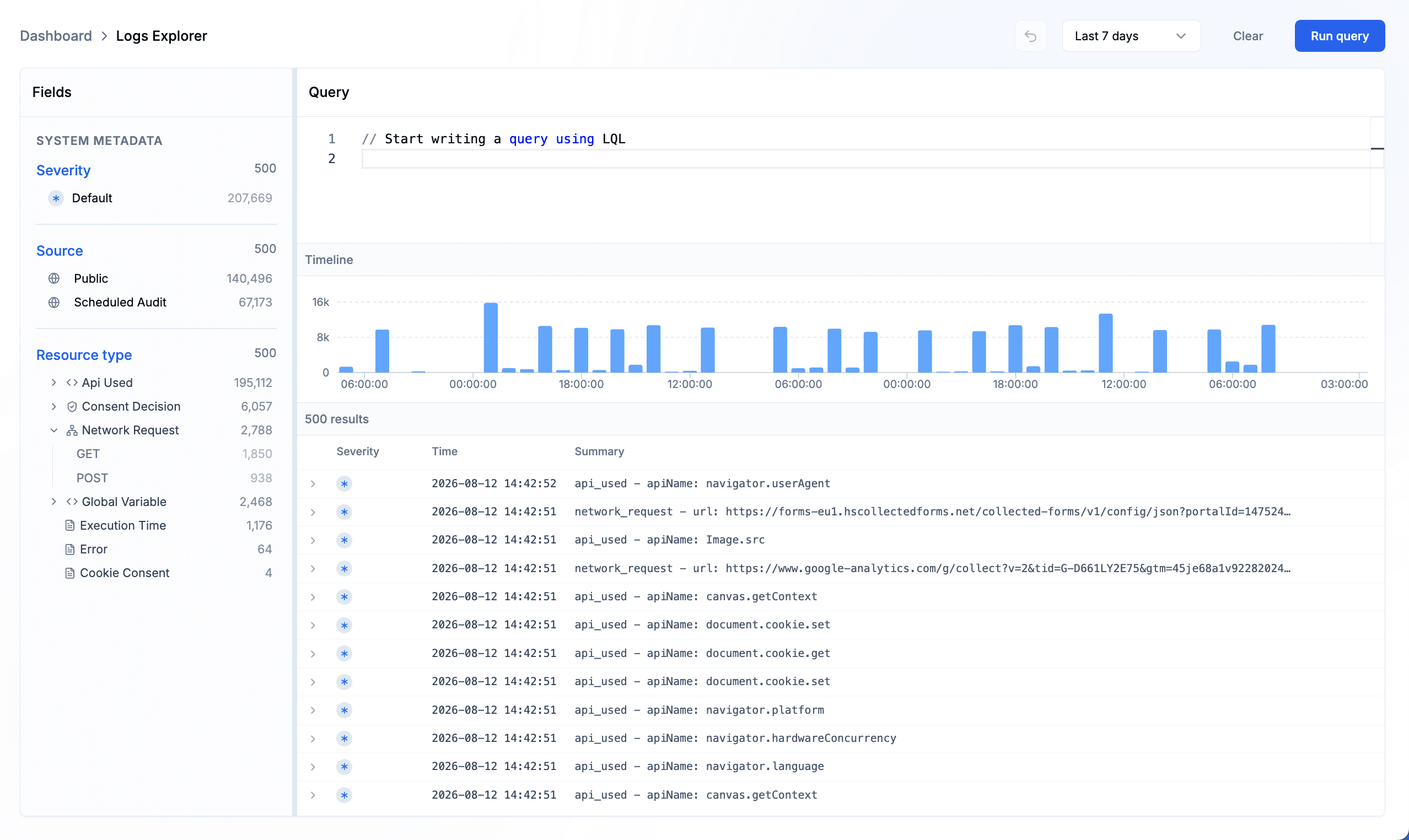
Use Logs Explorer to filter and query observed browser telemetry across a selected time range, then expand individual records to inspect the activity and metadata behind a payment-page signal.
Narrow the record by source and observed activity such as browser API use, network requests, consent decisions, errors, and execution timing.
Open an individual result to review its timestamp, session reference, domain, event type, and available technical fields.
Expand nested metadata to connect an observed capability or request with the resource that initiated it.
ISSUES AND ANOMALIES
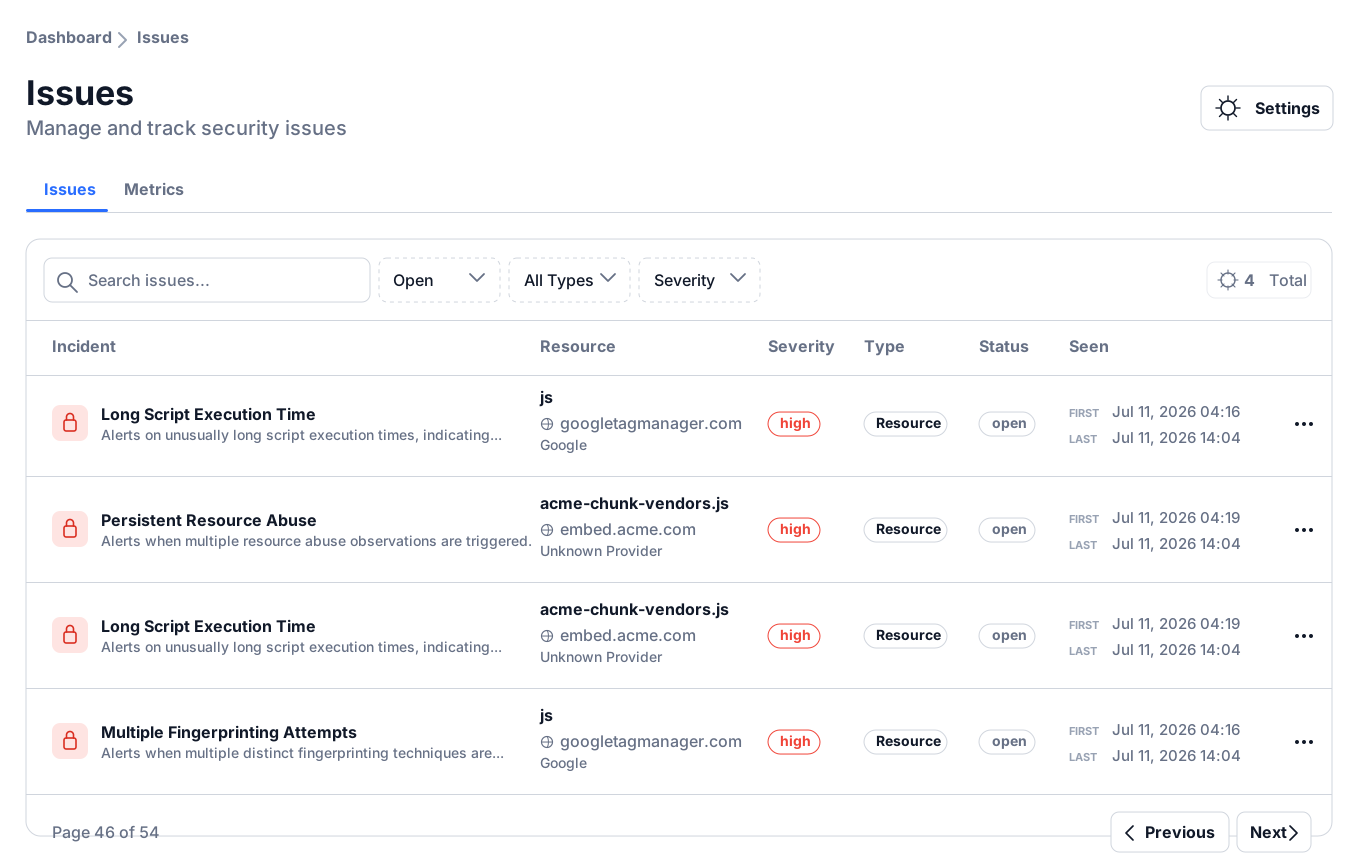
Issues organize observed risk and supporting context, while anomalies surface deviations in runtime behavior. Review the affected resource, provider, severity, timing, technical evidence, and observed sessions before deciding whether a checkout change is expected, faulty, or potentially malicious.
Use severity, status, affected resource, and observed impact to decide which checkout signals need attention first.
Move from the list into the issue or anomaly record to review the technical evidence and surrounding browser context.
Review associated sessions and timing to understand where the behavior appeared without assuming every visitor was affected.
PROPORTIONATE CONTAINMENT
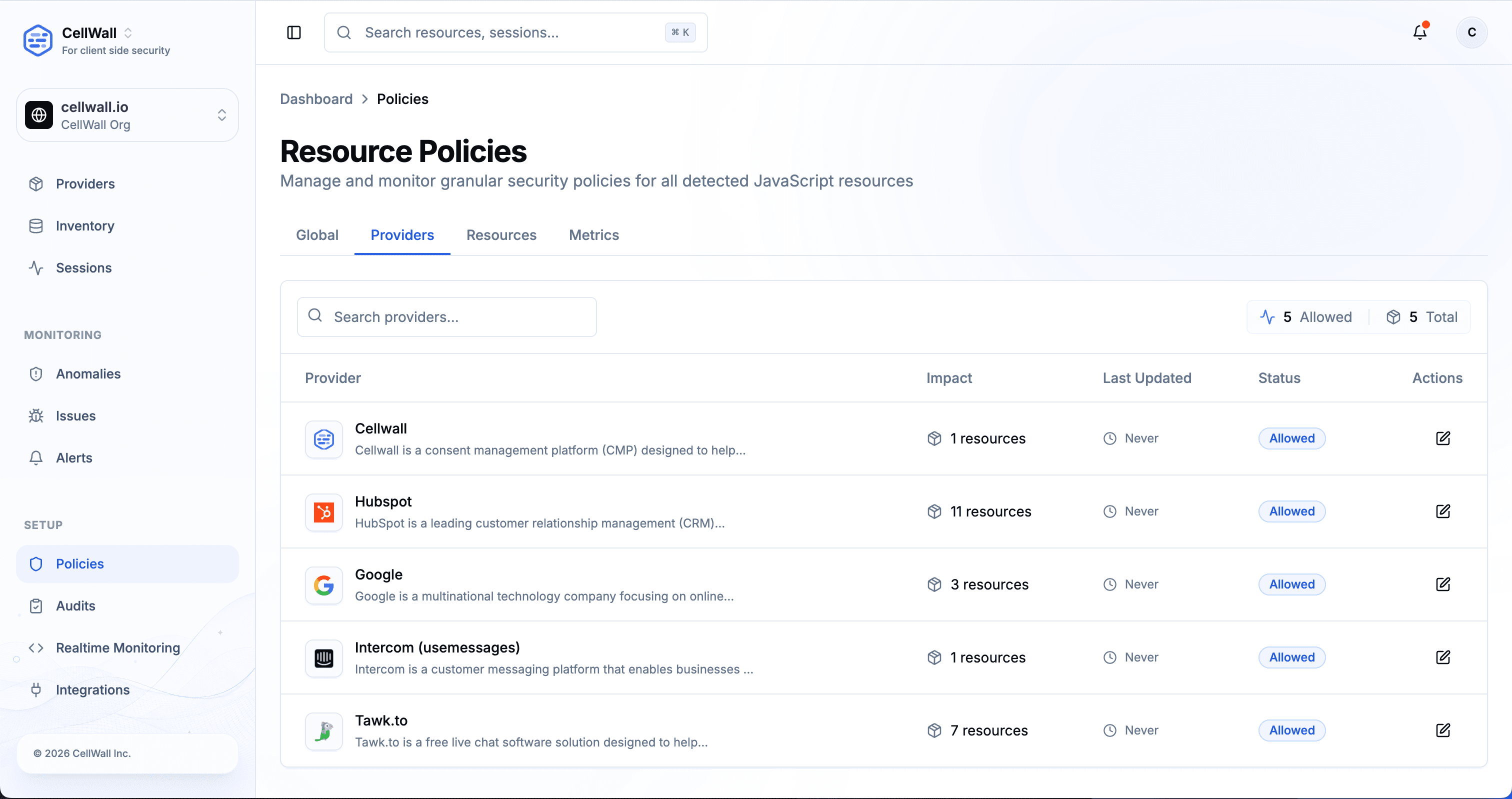
When the evidence supports action, teams can restrict an unexpected route, block an affected resource or provider, review the associated issue, notify the appropriate owners, and keep the current decision available for follow-up.
Apply a destination, resource, or provider-level boundary rather than changing more of the checkout flow than the evidence supports.
Create a reviewable issue and send enabled notifications through the team's supported response channels.
Keep the finding, affected context, current decision, and latest disposition connected for later review.
A PAYMENT-PAGE PROTECTION LOOP
Digital-skimming protection depends on a maintained understanding of the payment page. Each release and provider update should feed the same observe, verify, respond, and review loop.
Record the scripts, dependencies, payment-field interactions, capabilities, and destinations that make up the reviewed checkout experience.
Identify new resources, altered integrity or behavior, sensitive-field access, and destinations that diverge from the reviewed baseline.
Use deployment, provider, resource, session, policy, and business-purpose context to separate expected change from activity that requires containment.
Apply an appropriate boundary, coordinate remediation, validate the payment flow, and retain what changed and why the final decision was made.
ONE SIGNAL, THREE DECISION MAKERS
A browser anomaly can cross security, engineering, and payment operations. Shared runtime context helps those teams act together without collapsing their responsibilities into one generic alert.
Assess the changed capability, destination, provider history, affected sessions, and existing policy before classifying the event.
Trace the initiating dependency, compare the behavior with the current release, and verify that containment does not unnecessarily disrupt checkout.
Understand which payment-page path changed, coordinate external providers, and retain the browser-side facts needed for operational follow-up.
Go deeper into the controls, evidence, and related use cases behind this workflow.
Review browser-side support for script management and payment-page change detection.
Review supported browser access and outbound destinations before applying scoped controls.
Investigate observed scope and evaluate a bounded browser policy response.
See how browser discovery, investigation, policy control, and supporting evidence work together.
DIGITAL-SKIMMING PROTECTION FAQ
What digital skimming is, which signals matter, how response works, and where this use case fits within payment security.
Digital skimming is the unauthorized capture of payment or personal data through code executing in the customer's browser. The code may be injected directly or introduced through a compromised dependency.
Operational outcome:Browser-side monitoring can surface the resources, field interactions, and network paths relevant to investigating that activity.
The terms overlap but are not always used identically. They generally describe browser-side techniques that manipulate or abuse checkout code to capture submitted data, while Magecart often refers to threat groups and campaigns associated with web skimming.
Operational outcome:The operational focus remains the same: understand what code accessed sensitive fields and where the resulting browser traffic went.
Relevant signals can include a newly observed script, an integrity or behavior change, unexpected payment-field access, a new browser capability, or communication with an unfamiliar destination.
Operational outcome:Correlating several observations provides stronger investigation context than treating any single change as proof of an attack.
They compare the observation with deployment history, provider changes, expected business purpose, prior behavior, policy state, and affected sessions.
Operational outcome:The platform preserves that context so a reviewer can classify the signal and document the decision.
A trusted provider can load downstream resources, change its delivered code, or become part of a compromised supply chain. Approval of the vendor does not make every future browser behavior expected.
Operational outcome:Monitor the delivered provider resources and dependencies over time, not only the original vendor entry.
Supported policy controls can restrict network destinations and block a resource or provider when the evidence and operating context justify that action.
Operational outcome:Use the narrowest appropriate scope, validate the checkout experience, and retain the investigation and recovery record.
No. PCI DSS compliance depends on organizational scope, implementation, operating processes, and assessor judgment. Browser-side protection is only one part of the wider program.
Operational outcome:The resulting inventory, change observations, investigations, and policy records can provide supporting evidence for relevant payment-page controls.
No. Those controls address different layers and failure modes. A WAF cannot fully describe browser execution, while browser monitoring does not secure servers or replace code review and fraud analysis.
Operational outcome:Use browser-side monitoring and policy as a complementary layer focused on delivered payment-page behavior.
Connect payment-field access, script behavior, network destinations, and session context before choosing the next action.