identity
What is running?
Review observed resource URLs, domains, categories, and provider associations. Filter the inventory to narrow a review to a provider or group of resources.
THIRD-PARTY VISIBILITY
SiteWall by CellWall brings third-party script monitoring into your client-side security workflow. Security and engineering teams can review observed website resources, connect them to providers, and inspect available load paths, browser activity, and findings. Start with what is present on monitored pages, then investigate the dependencies that deserve a closer look.

FROM PROVIDER TO RESOURCE
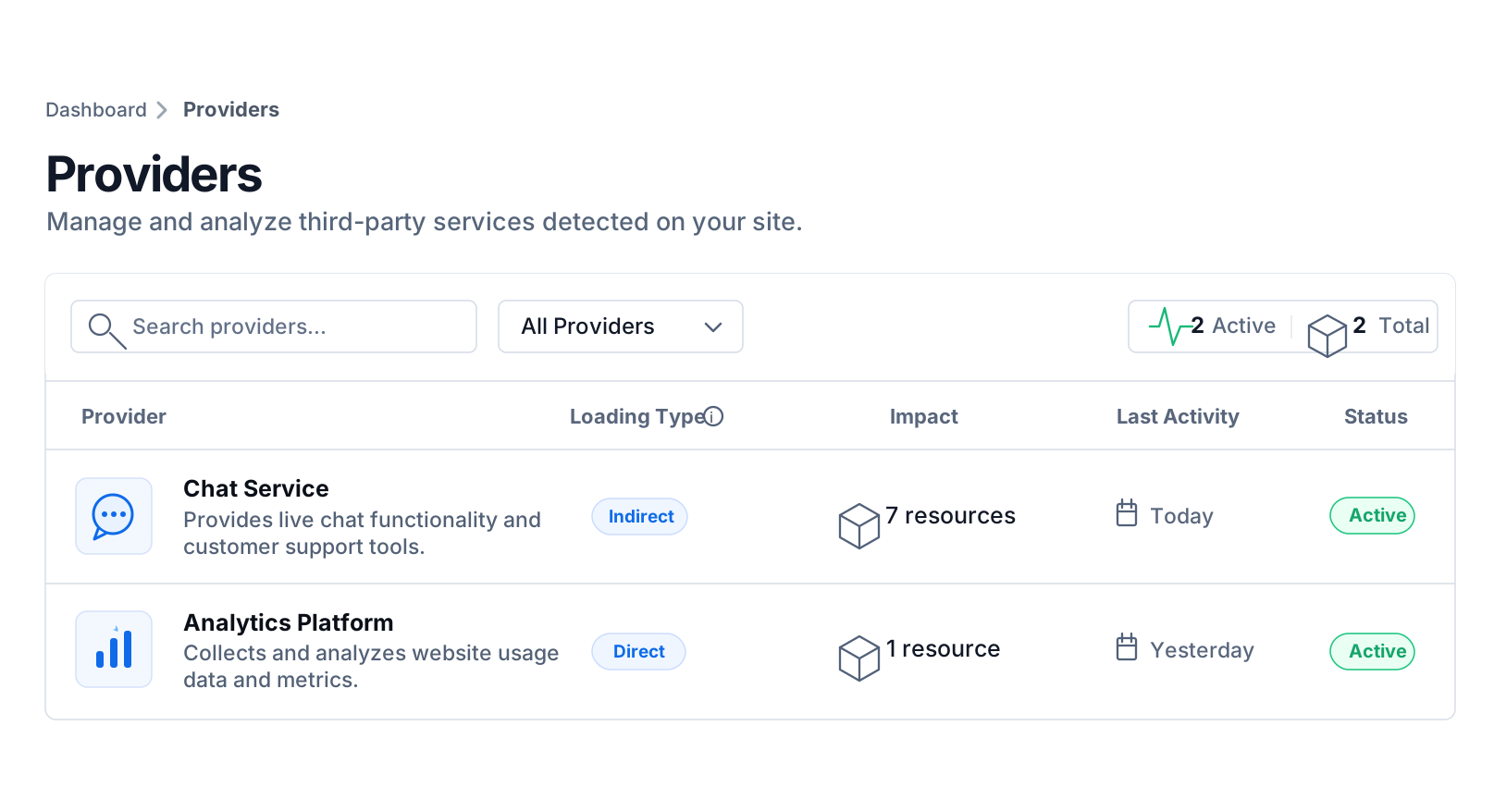
A familiar vendor name is only the beginning of a review. Open its profile to understand its role, see when it was first and last observed, and move into its resource inventory. Keep the provider relationship and the individual files in the same investigation.
The animation moves from the provider list into a profile. Profiles connect provider information with observation dates and associated resources.

Use provider descriptions and associated resources to distinguish a known service from code that needs further review.
First-seen and last-seen dates describe the observation history. Use them to investigate a recent addition or revisit an older integration.
Inspect individual resource URLs, categories, and available findings instead of treating every file from a provider as interchangeable.
A WORKING SCRIPT INVENTORY
Bring resource identity, behavior, and findings together before deciding which dependency needs attention.
Review observed resource URLs, domains, categories, and provider associations. Filter the inventory to narrow a review to a provider or group of resources.
Inspect captured browser API activity and network requests where available. A resource's identity tells you what it is; its observed activity helps explain what it does.
Read resource findings alongside rule-based security scores. Scores use a 0–100 scale and reflect triggered rules; the underlying findings explain why a resource deserves attention.
Review available load and execution timing with resource context. Use the observations to guide a performance investigation, rather than attributing a whole-page slowdown to one file from timing alone.
FOLLOW THE LOAD PATH
One integration can introduce several resources. A provider load-flow view helps you follow the relationships captured between them, so a review can consider indirect dependencies as well as the first script on the page.
This illustrative load-flow animation reveals a resource and its connected dependencies. The platform view reflects available relationships captured on monitored pages.

Follow available load relationships to understand how a resource fits into the provider's browser footprint.
Use the connection between resources to guide investigation before choosing a resource-level or provider-level policy. The load path supplies context; it is not a verdict about trust.
A REPEATABLE REVIEW
Use third-party website monitoring as the starting point for a focused technical review—not another disconnected vendor list.
Start with monitored pages and the provider or resource you need to understand. Check observation dates and resource identity before treating an entry as a new addition.
Follow available dependencies, browser activity, timing, and findings. Separate a provider's general purpose from what its resources were observed doing on your website.
Bring the evidence to the responsible team. Continue into runtime investigation, review a supported policy, or assess whether the integration still belongs on the page.
Carry the same provider and resource context into a more focused workflow.
Explore how inventory, browser monitoring, and policy controls fit together in SiteWall.
Turn visibility into a deliberate review of third-party purpose, permissions, and continued use.
Investigate captured browser activity, issues, anomalies, and the records behind them.
Examine resource timing and reliability findings in the context of a third-party integration.
Practical questions
Third-party script monitoring is the process of identifying and reviewing external scripts observed on a website. SiteWall connects resource inventory with provider context, available dependencies, browser activity, and findings so teams can investigate a dependency beyond its name.
A provider represents the service behind an integration. Resources are the individual files associated with it. Reviewing both helps teams understand the business relationship while investigating specific URLs, activity, and findings.
The provider load-flow view shows available relationships between captured resources. It helps teams examine indirect dependencies as well as directly included scripts, within the relationships available from monitoring.
They describe when a provider was first and most recently observed in the available records. They are useful investigation cues, not proof of the exact time an integration was installed or removed.
The inventory reflects monitored pages and captured observations. What is available depends on deployment, configuration, and visitor activity, including the page and interaction paths that have been observed.
The rule-based score starts at 100 and deducts weights for triggered rules. It is a prioritization input. Review the associated findings and context rather than reading it as a complete risk rating or an exploitability assessment.
Monitoring supplies visibility and findings. Blocking is a separate policy decision. Teams can review supported resource or provider controls after investigating the dependency and its role on the website.
Monitoring helps establish what has been observed. Governance uses that evidence to review purpose, permissions, and continued use. The workflows are connected, but an inventory entry alone does not establish approval or business justification.
Explore provider context, follow resource relationships, and bring a clearer technical record to your next third-party review.