
Magecart and Web Skimming: How Payment Data Is Stolen in the Browser
By CellWall Security Research | Published October 11, 2026 | Client-Side Security | 11 min read

On this page
- Magecart, Web Skimming, E-Skimming, and Formjacking
- The Web-Skimming Attack Chain
- How the Skimmer Reaches the Payment Page
- What a Payment-Page Skimmer Can Capture
- Common Exfiltration and Evasion Patterns
- Why WAFs and Repository Scans Can Miss It
- Prevent and Detect Web Skimming
- PCI DSS 6.4.3 and 11.6.1
- Web-Skimming Incident Response
- Where SiteWall Fits
- Frequently Asked Questions
- Protect the Second Copy
Reading Progress
0%
11 min left
Web skimming is the theft of data from a website visitor's browser, commonly during checkout. Malicious JavaScript or a compromised page component watches payment or identity fields and sends selected values to an unauthorized destination. Magecart commonly describes the attacker ecosystem and campaigns associated with this technique; it is not the name of one script or one vulnerability.
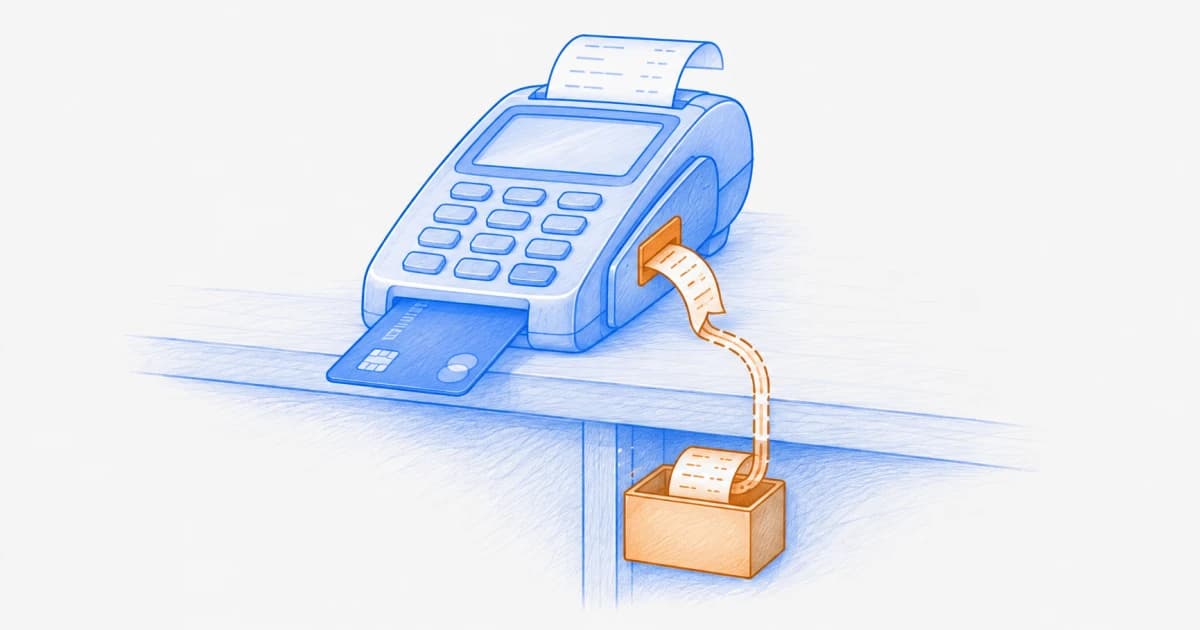
The dangerous part is where the theft happens. A transaction can still reach the legitimate payment processor while a second, hidden copy leaves the browser. Backend logs may show a successful order, the storefront may look normal, and the skimmer may activate only for selected visitors.
Web skimming is one specific form of website data exfiltration. The incident may begin with a vulnerable first-party application, a compromised third-party script, a malicious package, stolen tag-manager access, or an altered build artifact. Understanding the complete browser dependency chain is therefore as important as inspecting the checkout form itself.
Magecart, Web Skimming, E-Skimming, and Formjacking
| Term | Useful meaning | Important nuance |
|---|---|---|
Web skimming / digital skimming | Browser-side capture of payment or other sensitive data from a website | The malicious code may be first-party-looking, third-party, inline, or indirectly loaded |
E-skimming | A common payment-industry term for online payment-data skimming | It describes the technique, not a single threat actor |
Magecart | A label used for multiple groups, campaigns, and infrastructure associated with web skimming | Attribution should not be inferred from the presence of a skimmer alone |
Formjacking | Unauthorized interception or copying of values entered into a web form | Targets can include credentials and personal data as well as card data |
A profitable skimmer tries to preserve the real checkout. No warning page, broken layout, or failed payment is required. Successful transactions and a normal-looking interface do not prove that the browser data path is safe.
The Web-Skimming Attack Chain
Gain a browser execution path
The attacker compromises application code, a dependency, a vendor, a tag manager, a CDN, an administrator account, or a vulnerable plugin that can affect the page.
Reach a sensitive journey
Malicious logic is placed on checkout or on a page, header, shared bundle, or loader that can influence checkout.
Identify valuable fields
The skimmer observes form elements, DOM changes, events, or application state to find payment, identity, credential, and billing data.
Capture a second copy
Values may be collected as the user types, when fields change, when the form submits, or when the application creates a payment request.
Transmit the data
The copy leaves through a request, beacon, pixel, form, image URL, frame message, WebSocket, navigation, or an allowed third-party endpoint.
Reduce the chance of discovery
The code may delay, obfuscate, sample visitors, restrict geography or device type, impersonate a legitimate endpoint, or remove itself after a campaign window.
How the Skimmer Reaches the Payment Page
| Entry path | What changes | Evidence to preserve |
|---|---|---|
Compromised third-party service | A trusted remote script or one of its dependencies serves malicious code | Delivered bytes, provider response, initiator chain, new destinations, first and last observation |
Package or build compromise | Malicious logic is bundled and served from the site's own origin | Lockfile, package provenance, source changes, build logs, artifact hashes, deployment history |
Tag-manager misuse | A malicious or unauthorized tag is published without an application deployment | Workspace history, publisher identity, triggers, variables, consent rules, destination list |
Application vulnerability | XSS, unsafe uploads, injection, or weak administration introduces executable code | Injection source and sink, affected templates, accounts, sessions, request logs |
CDN or storage alteration | A resource changes between the release system and the visitor | Origin and edge representations, cache keys, integrity metadata, access logs |
E-commerce extension or plugin | A vulnerable or compromised component modifies shared checkout code | Extension version, vendor advisory, file changes, configuration and administrator activity |
A script loaded from another origin does not run with reduced DOM privileges merely because it is called “third party.” When placed in the top-level page, it generally executes in that page's context. Use architectural isolation when an integration does not need direct access to merchant-controlled fields.
What a Payment-Page Skimmer Can Capture
Payment information
Primary account number, cardholder name, expiration date, and security code when those values are entered into merchant-accessible fields.
Billing address, transaction amount, cart contents, and checkout identifiers that make the stolen record more useful.
Payment tokens or application state exposed to JavaScript, depending on the payment architecture.
Identity and account information
Email address, telephone number, shipping address, account identifier, and loyalty information.
Passwords or recovery data entered on affected login and account pages.
JavaScript-readable session tokens, storage values, or API responses available in the compromised context.
Context used for evasion
Page, browser, locale, device, geography, referrer, and timing signals.
Whether the visitor resembles a security scanner, administrator, researcher, or repeat session.
Conditions that allow the skimmer to operate only during particular steps or campaign windows.
If sensitive card entry occurs inside a properly isolated cross-origin payment frame, merchant-page JavaScript should not be able to read the frame's DOM because of the same-origin policy. The surrounding merchant page can still affect the payment experience, load risky scripts, receive messages, or be altered to replace the frame, so isolation reduces—not eliminates—the attack surface.
Common Exfiltration and Evasion Patterns
| Pattern | Why it can blend in | Defender's question |
|---|---|---|
Lookalike collection domain | The hostname resembles the merchant, CDN, analytics service, or payment provider | Who owns the exact registrable domain and certificate, and is the destination approved? |
Allowed vendor endpoint | Stolen or excessive data is sent through a service already permitted by policy | Does the payload and purpose match the approved integration? |
Image, pixel, or query-string channel | The request resembles ordinary marketing or asset traffic | What values are encoded in URLs, paths, headers, and bodies? |
Selective activation | Automated checks receive clean code or never reach the trigger | Which journeys, regions, devices, consent states, and interactions were exercised? |
Short campaign window | The malicious resource disappears before a periodic scan runs | How frequently is evidence captured and how long is it retained? |
First-party proxy | The browser contacts a merchant-controlled hostname that forwards elsewhere | Where does the server-side proxy send the data, and who controls its configuration? |
Why WAFs and Repository Scans Can Miss It
A WAF sees traffic crossing the boundary it protects. It may not see a visitor's browser send data directly to another origin. A repository scan sees stored source, but not necessarily a remotely updated vendor script, tag-manager publish, edge mutation, runtime dependency, or conditionally activated payload. Server and source controls remain essential; they simply observe different parts of the attack chain.
| Signal | Possible explanation | Immediate validation |
|---|---|---|
New script or changed bytes | Authorized release, vendor update, compromise, or cache variant | Resolve owner, release evidence, full initiator chain, and behavioral difference |
New destination on checkout | New feature, fourth party, misconfiguration, or exfiltration | Resolve domain ownership, initiating code, payload category, purpose, and approval |
New form listener or DOM access | Product instrumentation, accessibility feature, fraud control, or field capture | Identify code, fields reached, trigger, destination, and authorization |
Payment complaints without server anomaly | Issuer decline, processor issue, account takeover, or browser-side theft | Correlate affected sessions with delivered resources and destinations |
CSP violation spike | Deployment error, browser extension, injected code, or blocked skimmer | Separate extensions and noise, preserve samples, inspect source and destination |
Prevent and Detect Web Skimming
Reduce payment-page exposure
Minimize scripts on pages that can affect payment security; remove stale tags and avoid broad shared bundles where practical.
Use isolated, provider-hosted payment fields or redirects when the architecture and risk decision support them.
Keep unnecessary personal data, secrets, and privileged application state out of browser-accessible responses.
Control executable change
Maintain a payment-page script inventory with owner, purpose, source, pages, dependencies, authorization, and justification.
Protect repositories, packages, build systems, CDNs, tag managers, plugins, and administrator accounts with strong change controls.
Use Subresource Integrity for suitable stable external resources and tightly scoped CSP as complementary controls.
Observe the delivered page
Monitor script content, initiator chains, DOM and form access signals, browser capabilities, outbound destinations, and relevant security headers.
Exercise representative checkout journeys across regions, devices, identity and consent states, not just the homepage.
Retain time-stamped evidence and alert on risk-weighted deviations with accountable owners and tested containment paths.
Use the CSP vs. SRI vs. monitoring guide to assign each control the right job. CSP can restrict many execution and network paths; SRI can prevent an eligible resource with unexpected bytes from running; monitoring can surface runtime dependencies and behavior that neither policy alone explains.
PCI DSS 6.4.3 and 11.6.1
PCI DSS 6.4.3 addresses payment-page scripts, including authorization, integrity assurance, and an inventory with written business or technical justification. Requirement 11.6.1 addresses detecting unauthorized changes to security-impacting HTTP headers and payment-page content as received by the consumer's browser. The PCI SSC's 2025 information supplement provides implementation guidance for e-commerce payment pages, including pages that can affect embedded payment frames.
The PCI SSC states that it does not determine whether a particular implementation is compliant. Scope, control design, evidence, customized approaches, service-provider responsibilities, and validation should be confirmed with the organizations managing your compliance program.
Web-Skimming Incident Response
Preserve browser evidence
Capture affected URLs, resources, delivered bytes, headers, initiator chains, DOM changes, requests, destinations, timestamps, and journey conditions before they disappear.
Contain the execution path
Disable the tag or integration, remove malicious code, revoke compromised access, narrow policy, purge affected caches, and use a tested payment-page kill switch where appropriate.
Find the initial compromise
Investigate source control, packages, builds, CDNs, plugins, tag managers, credentials, vendors, administrator activity, and application vulnerabilities.
Scope affected sessions and data
Establish first and last known activity, pages, geographies, browsers, fields, destinations, releases, and session populations using multiple evidence sources.
Coordinate required actions
Engage incident response, payments, acquirers or brands, privacy, legal, communications, insurers, vendors, and law enforcement as the confirmed facts require.
Restore with new evidence
Validate clean delivery, rotate affected credentials or tokens, add regression checks and monitoring, update the inventory, and document the approval before re-enabling functionality.
Where SiteWall Fits
SiteWall can help teams inventory browser-delivered resources and providers, observe loading relationships and destinations, and surface changes on payment and other sensitive journeys where its deployment and the browser architecture provide visibility. This context can shorten the path from an unfamiliar request or changed script to the responsible resource and owner.
SiteWall does not make attribution, inspect every encrypted payload, replace secure payment architecture, or determine PCI DSS compliance. Combine browser evidence with application and vendor logs, integrity controls, CSP, secure development, incident response, and qualified compliance guidance.
Watch the Payment Page the Browser Receives
Evaluate SiteWall on representative checkout journeys to inventory scripts, map loading relationships and destinations, and investigate meaningful browser-side change.

Frequently Asked Questions
What is a Magecart attack?
Magecart commonly refers to groups and campaigns that use web skimming to steal payment data from e-commerce visitors. It is an ecosystem label rather than one malware family, script, or vulnerability.
How does web skimming work?
Attacker-controlled browser code gains access to a payment journey, observes valuable fields or application state, copies selected data, and sends it to an unauthorized destination while the legitimate transaction may continue normally.
Is web skimming the same as phishing?
No. Phishing commonly draws a victim to a deceptive experience. Web skimming can compromise a real merchant page that the customer intended to visit, although campaigns may combine techniques.
Can a web skimmer steal CVV data?
If the security code is entered into a field accessible to compromised merchant-page JavaScript, it may be captured. Properly isolated cross-origin payment fields can reduce that direct access, but the surrounding page still needs protection.
Does a WAF stop Magecart?
A WAF may block an initial exploit or known malicious traffic, but browser-to-attacker requests and remotely changed scripts may bypass the boundary it observes. Use it as one layer alongside secure development, integrity controls, CSP, isolation, and browser-side monitoring.
Can CSP prevent web skimming?
A strict, accurate CSP can block many unauthorized scripts and outbound destinations. It may still allow malicious behavior by trusted code or data sent to an allowed endpoint, so it should be combined with integrity, minimization, isolation, and monitoring.
How do you detect a web skimmer?
Observe the payment page as delivered to real or representative browsers. Compare scripts, bytes, initiator chains, DOM and form interactions, destinations, headers, and behavior across time and journey states, then validate changes against explicit authorization.
Do PCI DSS 6.4.3 and 11.6.1 prevent every skimming attack?
No control guarantees prevention. These requirements strengthen payment-page script governance, integrity assurance, inventory, and tamper detection. Effectiveness depends on scope, implementation, coverage, response, and the surrounding security program.
Protect the Second Copy
A checkout can complete successfully while a hidden second copy of customer data leaves the browser. Defenders therefore need to verify not only where the payment went, but which code was present, what it could reach, what changed, and every destination contacted during the journey.
Continue exploring
Read the practical guides that clarify the surrounding risks, controls, and evidence.
Explore the client-side security hub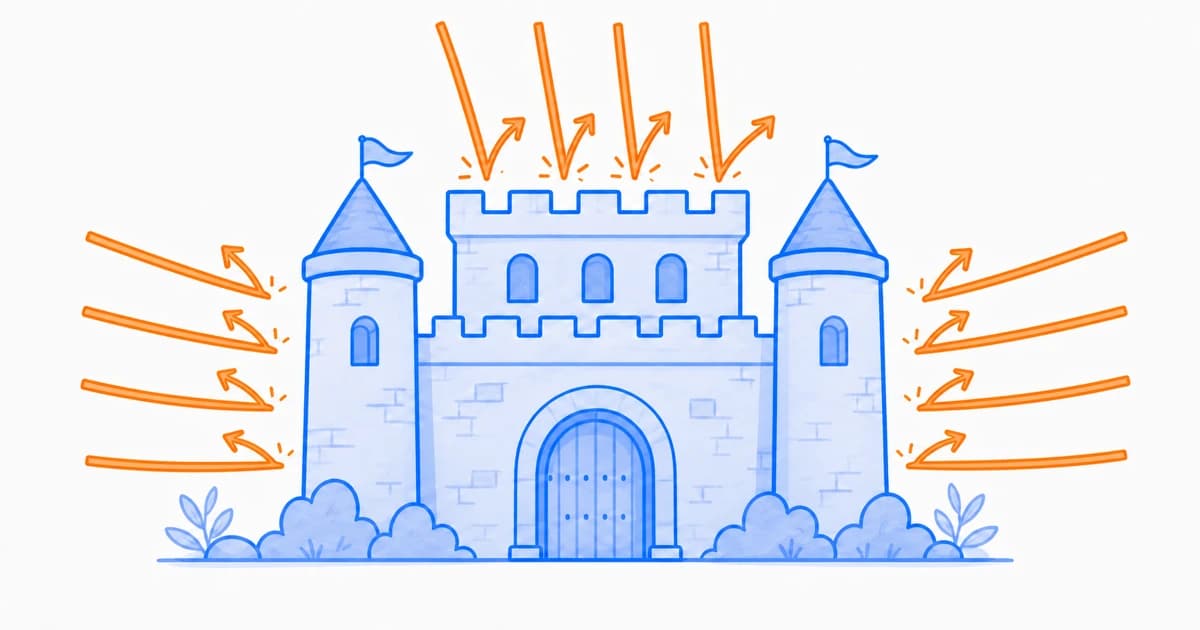
Client-Side Security
Types of Client-Side Attacks: 12 Browser Threats to Know
Explore 12 common client-side attacks, how they reach the browser, what warning signs to investigate, and which controls can reduce the risk.

Client-Side Security
Third-Party JavaScript Monitoring: Uptime, Updates, and Behavioral Drift
Learn how to monitor third-party script availability, performance, update frequency, dependency changes, and unexpected behavior in the browser.

Client-Side Security
Why Third-Party Scripts Create a Security Blind Spot
See how third-party scripts expand into browser-side dependency chains, why server tools miss their behavior, and how teams regain control.